


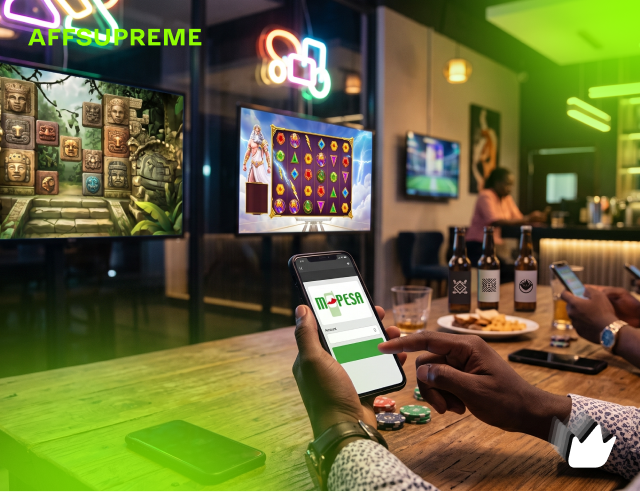
Depositing with M-Pesa at an online casino is the fastest, simplest way for Kenyan players to fund an account — no card, no bank wait, no foreign processor. You have two routes: the automatic STK Push, where you approve a pop-up on your phone with your PIN, and the manual Lipa na M-Pesa Paybill method. Both credit your casino balance in seconds. This guide walks through each step, the current limits, fees and taxes, how long withdrawals take, and the safety rules that keep your money out of scammers’ hands.
Why deposit with M-Pesa?
M-Pesa is the backbone of Kenyan online payments, used by tens of millions of people daily, and casinos serving Kenya have built their cashiers around it. The appeal over cards or bank transfer is straightforward. Deposits are effectively instant — funds usually appear in your casino wallet within 30 to 120 seconds, against two to three business days for a bank transfer. Only a small minority of Kenyans hold a credit card, so M-Pesa removes the single biggest barrier to funding an account. And because Safaricom has already verified your identity, M-Pesa deposits skip the ID uploads and bank statements that international processors demand.
The flow is also familiar: it is the same Lipa na M-Pesa process you have used hundreds of times for shopping and bills. Add low minimums — you can test a casino with pocket change rather than a forced four-figure deposit — and it is easy to see why M-Pesa dominates. The one thing to keep in mind is that this convenience only holds at licensed operators; the rest of this guide assumes you are using a casino licensed by Kenya’s Gambling Regulatory Authority (GRA).
Before you start: a 60-second checklist
Three things need to be true before your first deposit will go smoothly.
2. Register in your own name. Your casino account name must match the name on your Safaricom SIM. In 2026 the large majority of blocked deposits are caused by a name mismatch between the SIM owner and the casino account — always use your personal number registered in your own name.
3. Have enough balance for the deposit plus the excise. A 5% excise is taken on the way in, so to land KES 1,000 in your wallet you need a little more than KES 1,000 on your phone.
Method 1: STK Push (the fastest way)
STK Push (SIM Tool Kit Push) is the modern, automatic method that most casinos now support, and it is the one most players use. You never type a Paybill number or account reference — the casino sends a prompt straight to your phone and you just approve it. Start to finish it takes well under a minute.
Log in and open the cashier
Sign in to your GRA-licensed casino account and go to the Deposit or Cashier section.
Select M-Pesa
Choose M-Pesa as your payment method from the list.
Enter the amount and your number
Type the amount in KES (mind the minimum), and enter your Safaricom number in the 254 format, for example 2547XXXXXXXX.
Tap Deposit / Pay
Within a second or two, an STK Push pop-up appears on your phone screen requesting your PIN.
Enter your M-Pesa PIN
Type your secret PIN on the prompt to authorise the payment. Do this only on your own phone.
Get your SMS and play
Safaricom sends a confirmation SMS in around 5 to 10 seconds, and your casino balance updates almost instantly. You are ready to play.
Method 2: Lipa na M-Pesa Paybill (manual)
The manual route is the reliable fallback and works at every M-Pesa casino. You will need the operator’s Paybill number, which the casino publishes in its cashier or payments help page. The account reference is almost always your registered phone number, though a few operators use a keyword or your username instead — check the casino’s own instructions.
Open M-Pesa
Use the M-Pesa app, the Safaricom app, or the SIM toolkit by dialling *334#.
Choose Lipa na M-Pesa → Pay Bill
Select Lipa na M-Pesa, then the Pay Bill option.
Enter the casino’s Paybill (business) number
Type the exact Paybill number the casino published. Double-check every digit.
Enter the account number
This is usually your registered Safaricom phone number — unless the casino specifies a keyword or username.
Enter the amount and your PIN
Input the KES amount, then confirm with your secret M-Pesa PIN.
Confirm via SMS
You receive an M-Pesa confirmation SMS within seconds, and the funds credit to your casino wallet almost immediately.
Deposit limits, fees and taxes
Three separate things affect how much of your money reaches the table: the casino’s own limits, Safaricom’s transaction tariff, and government tax. Here is how they stack up in 2026.
Limits
Minimums are refreshingly low. Many operators accept deposits from around KES 49 to KES 100, and some go as low as KES 10. Per-transaction maximums vary by operator but commonly run into the tens of thousands of shillings, while your overall daily M-Pesa ceiling can reach KES 500,000 depending on your Safaricom account limits.
Fees
Licensed casinos generally do not charge a deposit fee. Safaricom, however, may apply its standard Lipa na M-Pesa Pay Bill tariff depending on the amount band — small deposits often cost nothing, with the charge rising on larger brackets. STK Push deposits frequently avoid the manual Pay Bill tariff, which is another reason to prefer them.
Taxes — the part that catches people out
This is where Kenya differs from most markets. Under the Finance Act 2025, the tax model shifted to your wallet flow: a 5% excise duty is deducted on every deposit, taken before the money lands in your casino wallet, and a separate 5% is deducted on every withdrawal. This replaced the older 20% withholding tax on net winnings and the previous 15% excise on stakes. In practice, on a KES 1,000 deposit about KES 50 is taken as excise, so roughly KES 950 reaches your wallet.
Withdrawing your winnings to M-Pesa
Money leaves the way it came in. Withdrawals go back to the same registered M-Pesa number you deposited from, which is both a security feature and a regulatory requirement. The flow is simple: request a withdrawal from inside the casino app or its USSD menu, choose the amount, and confirm. Funds typically reach your M-Pesa within minutes at a well-run operator, though some payouts take a little longer during manual review.
Two things to expect. First, the 5% withdrawal excise is deducted at this step — request KES 1,000 and roughly KES 950 lands on your phone (before any Safaricom fee). Second, your first withdrawal may trigger identity verification (KYC) if you haven’t completed it already. This is a normal, legally required step; completing it early means your first payout isn’t held up.
| Action | Method | Typical speed | What’s deducted |
|---|---|---|---|
| Deposit | STK Push / Paybill | Seconds to ~2 min | 5% excise (+ possible Safaricom tariff) |
| Withdrawal | App / USSD to M-Pesa | Minutes (sometimes longer) | 5% withdrawal excise |
| First withdrawal | May require KYC | Add verification time | Same as above once approved |
Deposit not reflecting? Quick troubleshooting
Most “missing” deposits are easily explained. Work through these in order.
Check the recipient name on your M-Pesa SMS. It should read the casino’s official business name. A different name means you paid the wrong Paybill — reverse it via the M-Pesa reversal flow and report to Safaricom on 100.
Confirm the name match. If your SIM is registered in a different name from your casino account, the deposit can be blocked. Use only your own personal number registered in your own name.
Give it up to 30 minutes. The vast majority reflect in seconds, but during heavy traffic a legitimate deposit can lag. If the recipient name is correct and 30 minutes have passed, contact the casino’s support with your M-Pesa transaction code (the reference in the SMS). They can manually re-allocate a correctly-paid deposit, usually within 24 hours.
Check your balance and connection. A failed STK Push is often just insufficient M-Pesa balance (remember the 5% excise) or a dropped network. Confirm both, then retry once — or switch to the manual Paybill method.
Staying safe with M-Pesa
M-Pesa is secure by design, but casino-related scams target the payment step. A few non-negotiable rules keep your money safe.
Only ever pay the official STK Push prompt or the casino’s published Paybill. Never send money to a personal (Send Money) number that claims to be a casino or promises to “unlock” a bonus or a stuck win. That is always a scam — legitimate operators use registered Paybills, never personal numbers.
Never share your M-Pesa PIN. No real casino, and no genuine support agent, will ever ask for it. Enter it only on your own phone’s official M-Pesa prompt.
Verify the licence first. Confirm the operator on the GRA register before depositing. An unlicensed site offers no recourse if it refuses to pay, and no guarantee its games are fair.
Keep your registered number active. Password resets and withdrawals depend on it, so a deactivated or swapped SIM can lock you out of your own funds.
Frequently asked questions
How do I deposit with M-Pesa at an online casino?
There are two ways. The fastest is STK Push: select M-Pesa in the casino cashier, enter the amount and your number, and approve the pop-up prompt on your phone with your PIN. The manual way is Lipa na M-Pesa: open M-Pesa, choose Pay Bill, enter the casino’s Paybill number, use your registered phone number as the account, enter the amount and PIN. Funds usually reflect in seconds.
What is the minimum M-Pesa casino deposit in Kenya?
Minimums are very low — many operators accept from around KES 49 to KES 100, and some go as low as KES 10. Maximum per-transaction limits are typically in the tens of thousands of shillings, with daily M-Pesa ceilings up to KES 500,000 depending on your Safaricom limits.
Are there fees or taxes on M-Pesa casino deposits?
Casinos generally do not charge a deposit fee, but two other costs apply. Under the Finance Act 2025 a 5% excise duty is deducted on each deposit before it lands in your wallet, and a separate 5% is deducted on withdrawals. Safaricom may also apply its standard Pay Bill transaction tariff. Tax rules are under review, so confirm current rates.
Why has my M-Pesa deposit not reflected?
Most delays come from a name mismatch — your M-Pesa account must be registered in the same name as your casino account. Check the M-Pesa SMS shows the correct casino recipient name; a different name means you paid the wrong Paybill. If the name is right and 30 minutes pass, contact support with your M-Pesa transaction code.
Is depositing with M-Pesa at a casino safe?
Yes, when you use a GRA-licensed operator and the official STK Push or published Paybill. Never send money to a personal number claiming to be a casino, never share your M-Pesa PIN with anyone including support, and always verify the licence on the GRA register before depositing.
How long do M-Pesa withdrawals take?
Usually a few minutes at a well-run casino, sent back to your registered M-Pesa number. Your first withdrawal may take longer if you still need to complete KYC identity verification. A 5% withdrawal excise is deducted at this step.